A new school year brings new opportunities to create a welcoming learning environment. From classroom websites and parent communications to presentations and printable resources, teachers use visual materials to introduce their classroom style and set the tone for the year ahead.
A back-to-school background is a simple design element that can make these materials feel more polished and consistent. Whether you prefer a colorful classroom theme, a subject-specific design, or a clean minimalist look, the right background can help transform everyday resources into engaging materials for students and families.
Finding a background that fits your exact needs, however, is not always easy. Many online libraries offer generic designs, but they may not match your grade level, teaching style, or classroom theme. With AI design tools like Quillbot’s free Image Generator, teachers can create custom back-to-school backgrounds tailored to their own classrooms.
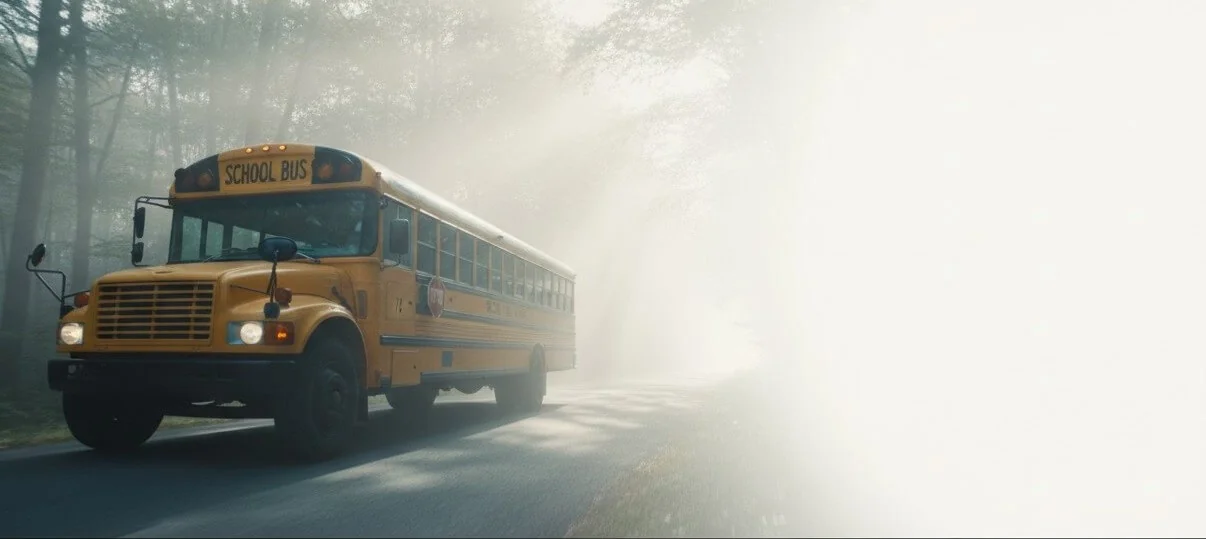
This guide explores creative ways to use back-to-school backgrounds, explains how to create backgrounds that meet accessibility standards, and provides free backgrounds you can download and use for classroom projects. Back-to-school background from Quillbot’s Image Generator
Key takeaways
Back-to-school backgrounds help create a cohesive, welcoming look across classroom websites, presentations, newsletters, printables, and parent communications.
AI image generators make it easy to create custom back-to-school backgrounds that match your classroom theme, grade level, and teaching style.
Accessible background designs prioritize readability with strong color contrast, open space for text, and minimal visual distractions.
This guide includes practical prompt-writing tips, accessibility best practices, and free downloadable back-to-school backgrounds for classroom use.
For teachers everywhere, the back-to-school season is one of the busiest times of the year. Before students ever step foot in the classroom, teachers are creating classroom websites, school supply lists, welcome letters, and more. To make these materials more engaging and visually appealing, teachers often turn to back-to-school clip art.
While clip art can instantly make classroom materials more engaging, finding clip art that matches your personality or your students’ interests can take hours, especially on websites that offer thousands of different options. That’s where tools like Quillbot’s free Image Generator come in. Instead of sifting through endless clip art libraries, you can create custom back-to-school clip art for free with just a few clicks.
This guide walks you through the different ways to use back-to-school clip art in your classroom and how to prompt AI for classroom clip art that’s just right for you. If you need back-to-school clip art right away, this guide also offers 20 ready-to-use images that you can download for free.
Key takeaways
Back-to-school clip art makes classroom materials more engaging, welcoming, and visually consistent for students and families.
AI image generators let teachers create custom back-to-school clip art in their preferred style instead of searching through large clip art libraries.
Detailed AI prompts that specify the subject, colors, illustration style, and transparent background produce the best classroom-ready clip art.
Different clip art styles help teachers create a classroom aesthetic that matches their personality, teaching subject, or students’ interests.
Back-to-school coloring pages serve many purposes beyond keeping students busy and filling extra time. When done right, they provide valuable insight into students’ interests, developmental skills, and readiness for learning as they settle into new routines. Teachers can use them in first-day-of-school lesson plans to assess fine motor skills, handwriting, and early literacy on the first days of school.
Whether you’re looking for first-day-of-school coloring pages, all-about-me coloring pages, or similar printables for students in pre-K to 2nd grade, the 15 coloring pages below offer a range of fun and engaging back-to-school images.
Quillbot’s free Image Generator can help you create custom coloring pages that are perfectly suited to your students’ needs.
Key takeaways
Back-to-school coloring pages do more than keep students busy. They help teachers assess fine motor skills, handwriting, early literacy, and school readiness in a low-pressure, engaging way.
Choose activities that match your students’ developmental goals. From tracing and name writing to letter recognition, counting, and listening skills, the right coloring pages can support meaningful first-week observations.
Find printable coloring pages for every early elementary grade. Explore 15 free options for Pre-K through 2nd grade, including self-portraits, all-about-me pages, classroom activities, and back-to-school themes.
Create custom coloring pages when you need something specific. Use Quillbot’s free Image Generator to design printables tailored to your classroom, lessons, or students’ needs.
If you’ve ever zoned out while reading a textbook chapter or struggled with writer’s block, mind mapping might be your new favorite study tool.
Like an outline, a mind map organizes information into categories and supporting details, but it shows how ideas connect instead of presenting them in a linear format. Mind maps save time and boost success in two ways:
Studying a textbook chapter: Mapping the topic, section headings, and key terms encourages active learning and helps you remember information more effectively.
Writing an essay: Planning your main idea, body paragraph topics, and supporting details gives you a clear roadmap before you start drafting.
Whether you’re studying for an exam or planning a paper, you can create a mind map with pen and paper or an online design tool, and it can be as simple or detailed as you need.
In this guide, you’ll learn how to create a mind map for studying and writing, explore examples, and discover templates that you can download for free.
If you’d like to create your own mind map template from scratch, Quillbot’s Image Generator is a fast and free option.
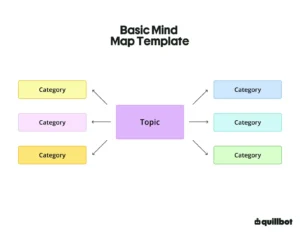
Basic mind map template
Key takeaways
A mind map is a visual way to organize information by placing a main topic in the center and branching out to related categories and supporting details.
Mind maps help you study more effectively because creating them is a form of active learning that makes information easier to understand and remember.
Mind maps can improve your writing process by helping you brainstorm ideas, organize body paragraphs, and overcome writer’s block before you start drafting.
Creating a mind map is simple: start with a central idea, add the main categories, and branch out with key details, examples, or evidence.
If you’ve ever opened a writing assignment and wondered, “What’s an MLA essay?” you’re not alone. MLA format isn’t about what you write in your essay but rather how your essay looks on the page. Even though MLA style involves lots of little details, it gets easier with practice.
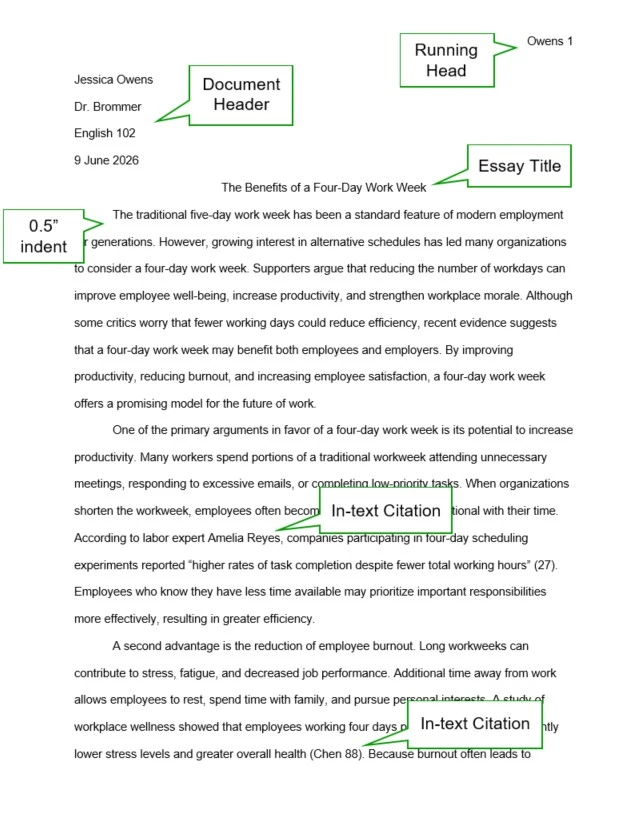
An MLA format essay follows specific guidelines for everything from 1-inch margins and double spacing to a document header, running head, and citations. All of these guidelines are based on the MLA Handbook (ninth edition). Once you’re familiar with these requirements, setting up an MLA paper becomes a straightforward process.
Whether you write your essays in Microsoft Word or Google Docs, this guide shows you exactly what steps to follow, with sample MLA pages and a free MLA template.
And when you’re ready to cite sources, Quillbot’s free Citation Generator helps you create a flawless works cited page in just a few clicks.
MLA essay format example
Key takeaways
MLA format standardizes how your essay looks, including page layout, citations, and the works cited page.
Use 1-inch margins, double spacing, a readable 11–12 point font, and a running head on every page.
MLA papers typically include a document header instead of a separate title page.
This guide walks you through every step of MLA essay format in Google Docs and Microsoft Word, with examples and a free template.
When a single exam can make or break your final grade, you need a variety of powerful yet practical study techniques.
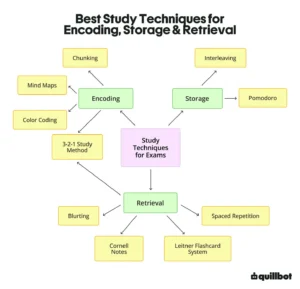
The best study techniques for exams are far more effective than rereading your textbook for hours at a time. They support the three main stages of the memory process:
Encoding new information by organizing and connecting ideas in ways that make them easier to understand and remember
Storing information in long-term memory by spacing out and scheduling study sessions to improve retention and avoid cramming
Retrieving information through active recall, which helps you practice pulling information from memory during the actual test
To help you incorporate all of these elements into your study routine (and ace your exams), this guide covers 10 science-backed study techniques, including mind mapping, Cornell notes, and distributed practice.
Quillbot’s AI Chat is a fast and free resource for your study needs. You can prompt it to generate flashcard ideas, ask it about the concepts you’re studying, and more.
Key takeaways
The most effective study techniques for exams enhance the three stages of the learning process: encoding, storage, and retrieval.
Techniques like mind mapping and chunking help your brain encode information in a way that makes it easier to understand and remember.
Spacing out study sessions and mixing topics strategically can significantly improve your brain’s ability to store information in long-term memory.
Active recall strategies, like the Leitner flashcard system, help you practice retrieving details from memory while you’re taking a test.
Writing an essay in APA style means following a specific set of formatting rules that affect how everything looks on the page.
APA essay format includes specific rules for everything from the font and title page to the headings and reference page. Although it seems like a lot at first, setting up a paper in APA style is easier when you go step by step. Once the APA formatting is in place, you can focus on developing your ideas.
This guide breaks down the APA essay format for student papers in simple steps. You’ll learn how to set up your document in Microsoft Word or Google Docs with examples and a free template to help you follow APA formatting rules with confidence and ease.
Need help citing your sources? Use Quillbot’s APA Citation Generator to quickly create accurate citations.
Key takeaways
APA style uses specific formatting requirements for student papers, including rules for fonts, margins, spacing, page numbers, headings, and reference pages.
A well-formatted APA essay typically includes a title page, the main body of the paper, and a reference page, each with its own formatting conventions.
APA citations consist of both in-text citations and reference entries, with formatting that varies depending on the source type and citation style used.
Step-by-step instructions, examples, and a free template can make it easier to create an APA-formatted essay in Microsoft Word or Google Docs.
Published on
March 16, 2026
by
Quillbot.
Revised on
April 30, 2026
AI tools for students are everywhere right now. There are apps to help you find sources, proofread essays, make presentations, and even generate practice tests.
With so many options competing for attention, the real challenge isn’t finding AI study tools. It’s figuring out which ones will actually save you time and support your learning.
The best AI tools for students tend to fall into a few key categories, from text summarizers and practice quiz generators to writing and presentation tools. This guide covers the types of AI tools that will streamline your academic routine and help you study smarter, not harder.
TipWhen choosing AI study tools, prioritize options that you can access in a single workspace, such as Quillbot’s AI Chat and Essay Checker, which can make it easier to move between studying, researching, and writing.
The clock is ticking, the coffee is cold, and you’re staring at a wall of text that you need to know by Friday. Whether it’s a famous speech, 100 anatomy terms, or 50 state capitals, every student hits a moment when they need to memorize something fast.
When the deadline is tomorrow or even later this week, you need a high-speed toolkit. In this guide, you’ll learn 10 memorization techniques to help you encode information faster and recite it more accurately.
Quillbot’s free AI Chat can also help you memorize something fast. Prompt it to generate study guides, flashcards, practice quizzes, and more.
Published on
February 6, 2026
by
Nicole Routh, M.Ed.
Revised on
July 18, 2026
Knowing how to study is one of the most important and misunderstood skills for academic success. Effective studying involves more than rereading the textbook, reviewing your notes, and putting in long hours. It requires intentional strategies, such as a consistent schedule and active recall techniques that strengthen your focus, memory, and motivation.
The strategies that make studying more effective are based on decades of research on how the brain stores and retrieves information.
This article explores how to studysmarter with research-based study tips for making a schedule, setting up your environment, learning the material, and practicing for the test.
TipPrompt Quillbot’s AI Chat to make practice quizzes on the information you’re studying for a test. You can also prompt the AI to review your answers and give you feedback.
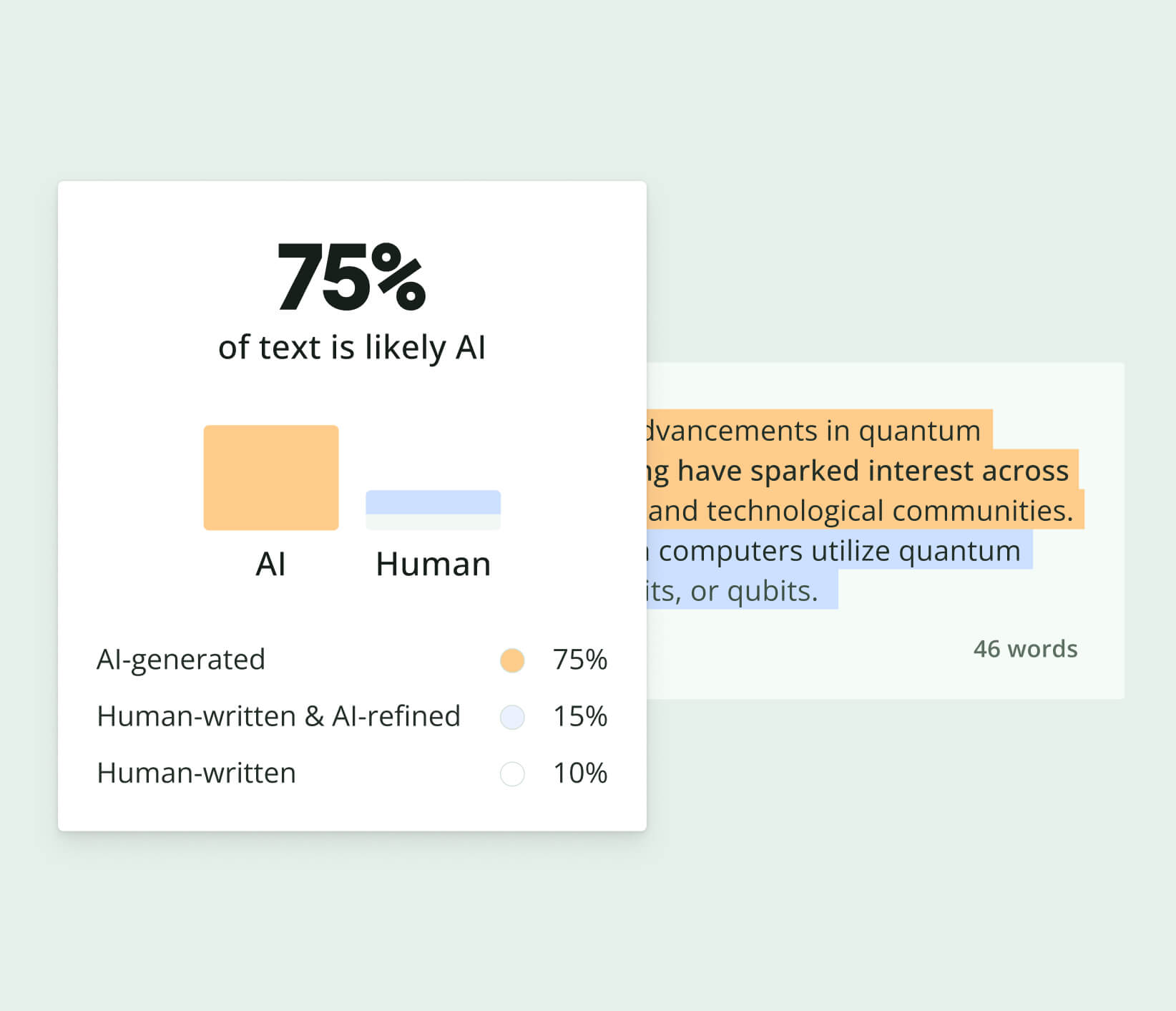
Work smarter with Quillbot’s AI Detector. Quickly assess whether text appears
AI-generated or human-written before publishing or submitting your content.
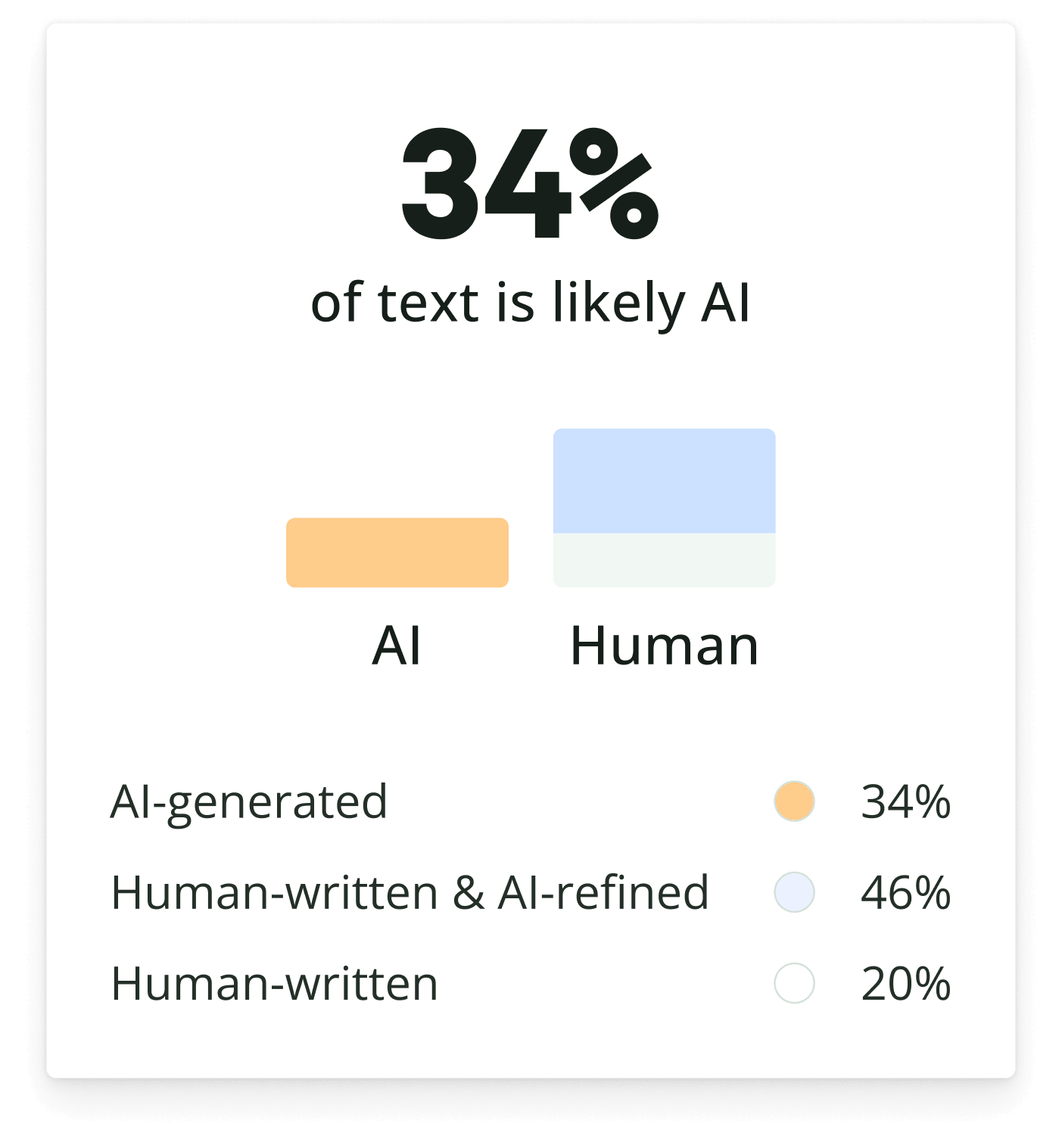
Work smarter with Quillbot’s AI Detector. Quickly assess whether text appears
AI-generated or human-written before publishing or submitting your content.