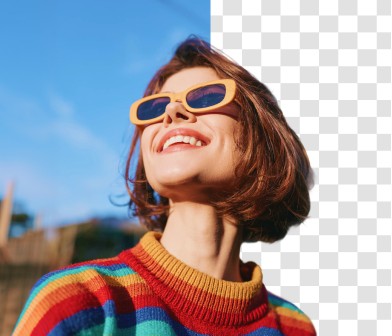
Free AI background remover
Remove or change any background in seconds. No editing skills, no sign-up, completely free.
Terms of Service
and have read ourPrivacy Policy
.Please ensure you have the rights to all aspects of the image, and comply with our
Copyright Policy
andCommunity Guidelines
.Powering great writing for millions worldwide

How to remove image backgrounds with Quillbot
Upload your image: Drag and drop any JPG, PNG, or WEBP file.
Remove background: Quillbot isolates subjects automatically.
Add new background: Use Quillbot’s background generator to place your image in a new setting.
Download image: Save as transparent PNG.
What makes Quillbot’s AI background remover different?
Our AI-powered background remover is precise, fast, and requires no design experience.
AI-powered precision
Our AI detects fine edges, shadows, and even hair for smooth, natural cutouts.
Fast and free
Quillbot lets you remove backgrounds instantly without watermarks to create high-quality transparent PNGs in seconds.
Privacy-first
All uploads are processed securely and automatically deleted, so your images stay private.
Multi-format support
Our tool works with JPG, PNG, or WEBP images to create transparent PNG files.
Works anywhere
Our tool is fully online and mobile-friendly, so you can use it anytime, anywhere.
Who uses QuillBot's free AI background remover?
Ecommerce sellers and marketers
Create images that meet Amazon, Etsy, and Shopify listing standards.
Designers and photographers
Refine and retouch backgrounds in portraits, mock-ups, and creative projects.
Content creator and social media managers
Design scroll-stopping posts, thumbnails, and reels with consistent branding.
Tips for getting the best results from Quillbot’s background remover
Use high-contrast subjects to ensure cleaner edges.
Avoid blurry or low-light photos.
Try white or solid backgrounds for professional product and profile photos.
Experiment with Quillbot's background changer
Why writers love us
Quillbot’s background remover FAQs
What is a background remover?
A background remover is an AI tool that detects the subject in a photo and strips away everything behind it, leaving a clean cutout with no manual selecting or masking on your part. From there you can keep the background transparent, fill it with a solid color, or swap in a completely new image, all in a few seconds.
It comes in handy anywhere you need a polished, distraction-free shot: product listings, profile photos, ads, presentations, or social media posts. You don't need Photoshop skills or editing experience, just upload your image and let the tool handle it.
How does Quillbot’s background remover work?
Quillbot’s AI background remover instantly identifies your subject and removes the background in one click. Simply upload your image, let our AI detect the edges and details, and download a transparent PNG in seconds. You can even change the background using our background changer, AI-generated scenes, solid colors, or gallery images—all online
Is Quillbot’s background remover tool free to use?
Yes. Quillbot’s AI background remover is completely free to use online. With the free plan, you can remove up to 5 backgrounds each day. Premium users get unlimited background removals, HD-quality transparent downloads, and faster AI processing.
What image file formats can I upload to Quillbot’s background remover?
Quillbot's BG remover tool supports all major image formats, including JPEG, PNG, and WEBP. Simply upload the file from your device, and the background remover will handle the rest.
Will the quality of my image be reduced after removing or changing the background?
No. Our AI is designed to maintain full image quality. Your final download will retain crisp edges and natural lighting. You’ll get print-ready, high-resolution PNGs that are perfect for design, ecommerce, and personal use.
What is the maximum file size I can upload for background removal?
You can upload images up to 10MB for background removal. Keeping the file within this limit ensures faster upload, smoother AI processing, and high-quality output.
Why would I want to change the background of a photo?
Changing the background of a photo allows for greater creative freedom. You can place your subject in a new environment, standardize product photos with a clean white or colored background, or add a professional touch to your portraits.
What are appropriate ways to use background remover?
You can use Quillbot’s background remover for ecommerce photos, resumes, marketing designs, presentations, and creative projects. Copyright Policy Community Guidelines Academic Integrity Page
Please ensure your use of background remover complies with our